Posts

Showing posts with the label FACEBOOK

UPDATE FACEBOOK POST WITH FAKE NAME
Image
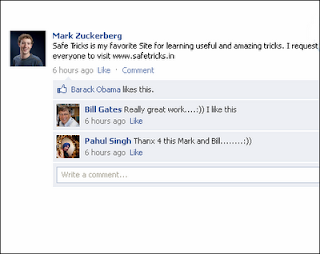
By using  this trick you can make fake status of anyone name on  Facebook  and take photograph and jealous your friends.   To do this just follow these simple steps Go to  Wall Machine  Click Here Then click on  connect  button after then allow the apps through your fb account Then the wall machine box appear. This box is customizable edit  names  and  Photos . After the all steps are completed then click on  save  button. Then  open  your save file in new tab and take a photo by print screen  Just take a Look on all Step which you have follows If you Face any problem regarding this topic. just feel free to ask me in comment box. http://www.roofapedia.com/Blog/Test-blog/April-2012/Top-Ten-Tips-for-a-Tip-Top-Rooftop-in-2012.aspx?saved=1 http://stlyouth.org/forums/oym-online/website-news/184900 http://stlyouth.org/users/jack01 http://www.webestools.com/profile-2...

How To Send Message On Facebook Even You Are Blocked

Hello Friends, As all of you know  facebook  is a great social networking website in which we’ll stay connected with our friends, family and other people. Sometimes due to wrong activities we get blocked from Facebook. When we get blocked, we can’t do anything in Facebook like can’t send friend request, message or anything else. There is a simple method to send message to any people in blocked period. To send message to a person, we first have to know the username of the user. The username is like this www.facebook.com/username . If you know it then follows these steps  Go to your primary email id like Gmail, Yahoo, Hotmail etc. Now compose a new message to  username@facebook.com  (here username is the Facebook id of the receiver). That means you have to mail from your Gmail account. Now you will send your message to your any friend. When any person sends a message to you on Facebook, Facebook will send a copy to your primary email id which you ...

CHANGING FACEBOOK BACKGROUND COLOUR AND THEMES ..

FACEBOOK'S default layout colour is blue.Facebook doesnot provide any official themes but Now it is possible to change your own facebook account theme as you like. You can make your facebook profile more colorful . You also able to set you own background Image on you facebook account.there are  ways to change your facebook themes. Using stylish firefox Add-ons Stylish lets you easily install themes and skins for Google, Facebook, YouTube, Orkut, and many, many other sites. You can even customize Firefox and other programs themselves. Click below to Download and install https://addons.mozilla.org/en-US/firefox/addon/stylish/ Restart firefox and go to following link http://userstyles.org/styles/browse/facebook     Click on the theme you like and install the script.     After you login to   facebook.com  you can view the changed Facebook theme...

NEW TRENDY EMOTIONS FOR FACEBOOK

IN THIS POST ME CHIRAG IS GOING TO TELL YOU SOME NEW SMILEYS FOR FACEBOOK .... SO THEY ARE:- [[126213110723975]]  – Hello Ketty [[126227960722490]]   – kiss [[126230880722198]]   – Green Worm Ani [[126229327389020]]   – Rose Red Ani [[127868980561350]]   – Heart beat [[126220920723194]]   – Santa [[126216480723638]]   – butterfly blue [[126132024065417]]   – Heart rotate ani [[126278187384134]]   – O Yeah Hippo [126217194056900]]    – i ♥ u [[389449726885]]    – i love you [[126540207361797]]   – Smileys Inlove [[398699314236]]      – Teddy n ♥ [[110780922298250]]   – Heart on Fire [[127878643893717]]   – hand Clap [[398570519236]]      – mickey at Sleep [[394930959230]]      – Smileys Zzzz [[126398717372810]]   – Converse [[110563818986950]]   – Wew [[110566395653359]]   – cat licking screen [[126236287388324]]   – Love Code [[12612...